Less noise. More signal. (No “magic”.)
See up to 20 feeds. Notice what matters.
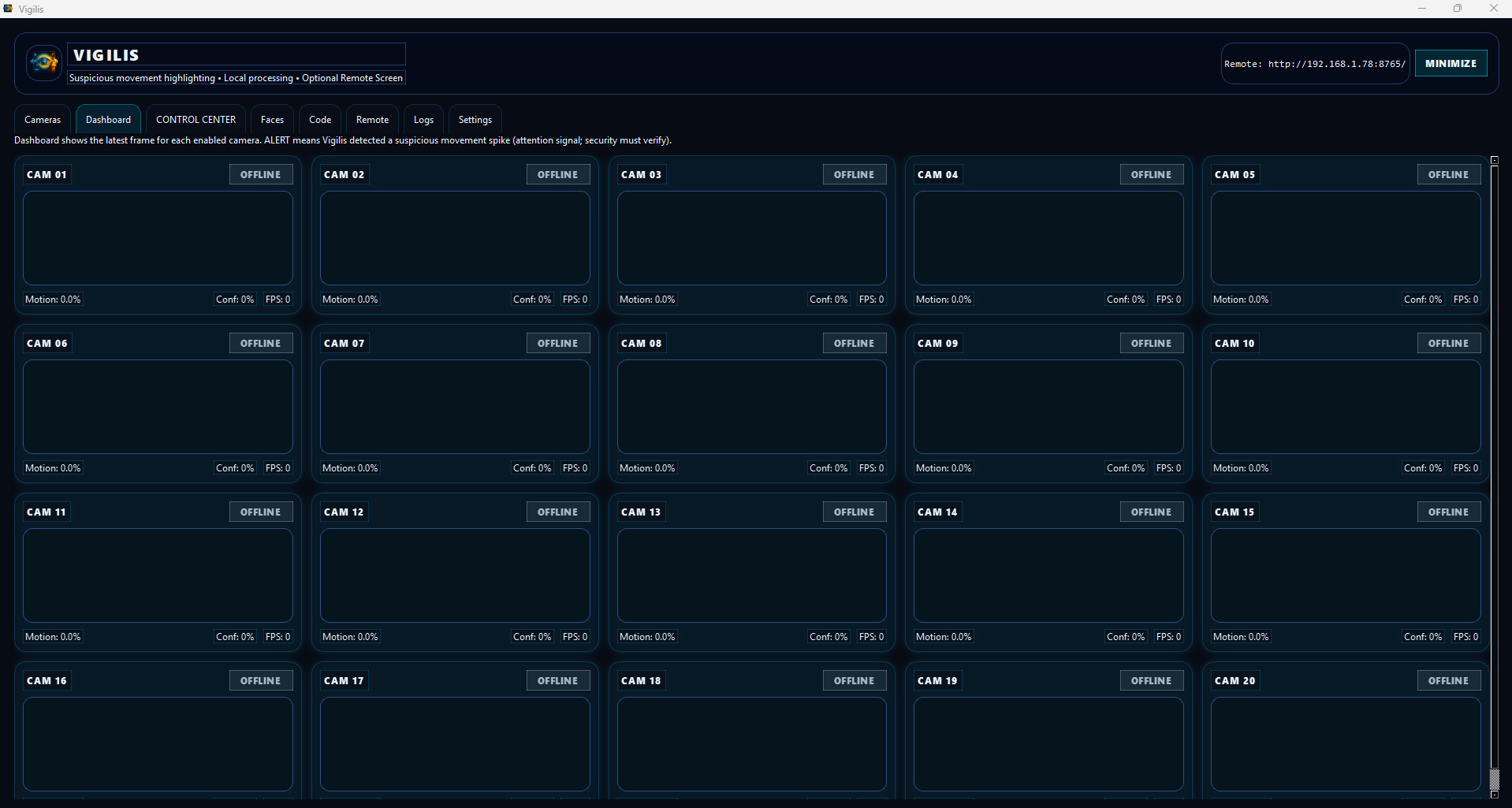
Vigilis is a multi-camera dashboard that highlights motion spikes and AI-tagged events (objects, gestures, weapons, and faces). It doesn’t “catch thieves”: it raises alerts for you to validate.
Capacity: up to 20
Modo: local first
Focus: attention flags
Remote: optional screen
Honest scope: this is an attention tool, not a “judge”.
Detection is probabilistic; decisions are human. Goal: reduce noise and keep the dashboard readable.
How it works (no clutter)
Think of it as “signal processing”: motion + AI tags go in; the UI amplifies what deserves review.
Quick flow
- Connect cameras (local index, RTSP/URL, or file) and enable only what you need.
- Set sensitivity (motion threshold + alert hold time).
- Watch the dashboard with the last frame and clear states: offline / online / alert.
- Confirm: zoom, verify, and record based on the chosen mode.
What triggers attention
- Weapons are top priority.
- Watchlist objects and supported gestures raise events.
- Faces: recognition / learning / off — you choose.
- Conservative behavior to reduce false positives from “background movement”.
Annoying note (but true): AI fails. If you want absolute certainty, you’ll need to hire an oracle.
Control & remote
- Exclusive recording: only one source records at a time.
- Face target mode: record the camera where the target person appears.
- Manual mode: continuous recording on a chosen camera.
- Remote screen: browser view on the local network (tablet/phone), with optional tags and bounding boxes.
Security: remote is controlled by settings (enable/disable, port, password).
Startup & main areas
- Terms & Conditions show once and require scrolling to accept.
- Offline activation with request/activation codes (no cloud login).
- Tabs: Cameras • Dashboard • Faces/Code • Logs/Settings.
GPU (optional, Plus only)
To run Vigilis Plus with GPU providers, the install machine must have:
- An NVIDIA GPU that supports CUDA 13.1
- Drivers NVIDIA instalados
- CUDA 13.1 + cuBLAS 13 + cuFFT 12 resolvable (via
CUDA_PATHorPATH) - cuDNN 9 resolvable (via
CUDNN_HOME/CUDNN_PATHorPATH)
If not, Vigilis Plus runs CPU-only. No drama—just slower.
GUI (preview)
Click to zoom.