Speak any text. In your voice.
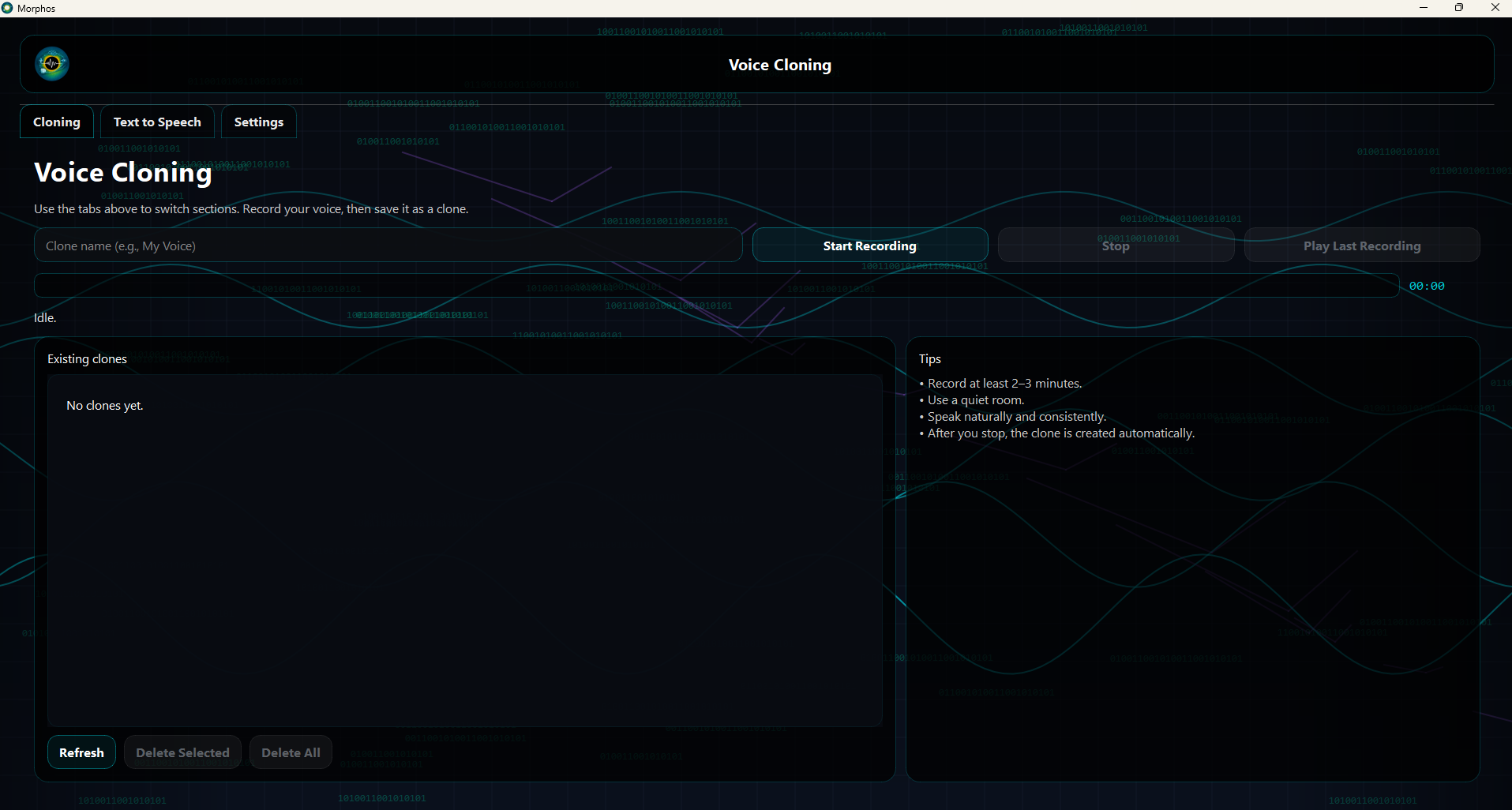
Morphos is an offline text-to-speech app that lets you clone your own voice and generate natural speech from any text. Record yourself for a few minutes, create one or more named voice clones, then write or paste text and export clean WAV files—without sending your audio or scripts to the internet.
How it works
- Record your voice from the microphone for a few minutes.
- Create a local clone: Morphos builds a voice profile and stores it on your machine.
- Pick a clone (you can keep multiple named clones) and paste any text.
- Generate speech and export a WAV file to your Desktop (or your chosen folder).
Languages & synthesis
- Multilingual output: choose the synthesis language (English, Portuguese, Italian, and more).
- Same-language or cross-language: generate audio from text in the same language or a different one.
- Autoplay toggle: play generated audio automatically or keep it silent until you decide.
- Output control: change the destination folder for generated files in Settings.
Offline by design
- No uploads: audio recordings and generated speech stay on your computer.
- Local models: the AI runs on your machine, not on a remote service.
- NVIDIA GPU support when available, falling back to CPU automatically.
- Works without internet after installation and licensing.
First run & license flow
- Terms & Conditions appear on first launch and require scrolling to the end before you can accept.
- License required: Trial, Monthly, Annual, and Lifetime license types exist.
- Cost is always $0: licensing is used for controlled distribution, not payment.
- Password-gated: access is provided after B2B verification via Virtuo.
Responsible use
- Clone only voices you own or have explicit permission to use.
- Label outputs when required by your client, policy, or jurisdiction.
- Keep projects local when confidentiality matters.
- Audit your pipeline: verify scripts and pronunciations before publishing.
Your day-to-day workflow
- Create clones for different speakers, brands, or character reads.
- Paste text from scripts, emails, product copy, or training material.
- Export WAV to Desktop by default, then move into your editor or DAW.
- Adjust Settings for destination folder, autoplay, and synthesis language.
Podcast module
Morphos also includes a Podcast module that turns written content into professionally produced audio episodes quickly, through a structured workflow, and at scale. Starting from pasted text or documents such as PDF, DOCX, RTF, TXT, or Markdown, the platform automatically creates a two-voice conversational script, ready for synthetic narration and final production.
Script generation
The system transforms source material into a clean dialogue between two speakers, organizing the content into a format that is ready for voice rendering without extra manual scriptwriting.
Audio production
Morphos then converts each speaker turn into audio using voices selected by the user, including built-in voices and cloned voices. The result is a complete episode generated segment by segment, automatically assembled, and exported as a WAV file.
GUI Preview
Click image to enlarge