Run laundry operations with workers, cameras, live monitoring, analytics and weight channels in one desktop app.
Laundrix is a B2B desktop application for professional laundry operations. It registers workers, connects USB/Wi‑Fi/LAN cameras, identifies workers through face photos, monitors activity in Live, provides a protected Remote dashboard inside the local network, trains garment classes in Garment Engine, generates operational statistics and analytics, schedules automatic report emails, verifies AI modules, and maps basket and hanger scales to workstations.
- 30-day free trial available before any paid activation
- Perpetual paid license after evaluation
- No guarantee, no support, no hand-holding after sale
- Hardware for the weighing system is not included with the software
What the app does
- Workers: register workers, store profile data, add face photos from files or camera, search, update, or delete records.
- Camera: connect one USB, Wi‑Fi, or LAN camera source at a time and assign it to a workstation.
- Live: monitor the feed, review the last detected worker, inspect the detected workers list, and open the worker profile.
Main tabs
- Remote: browser dashboard on the same network, protected by password and QR access.
- Garment Engine: create garment classes, import images, train, activate, or roll back model versions.
- Statistics / Analytics: KPI summaries, breakdown tables, charts, trends, exports, and operational comparisons.
- Email: schedule automatic emails and optionally attach the latest report.
- AI Center / Settings: verify module status and fine-tune detection, reports, retention, and scale mapping.
Weight integration and workstation mapping
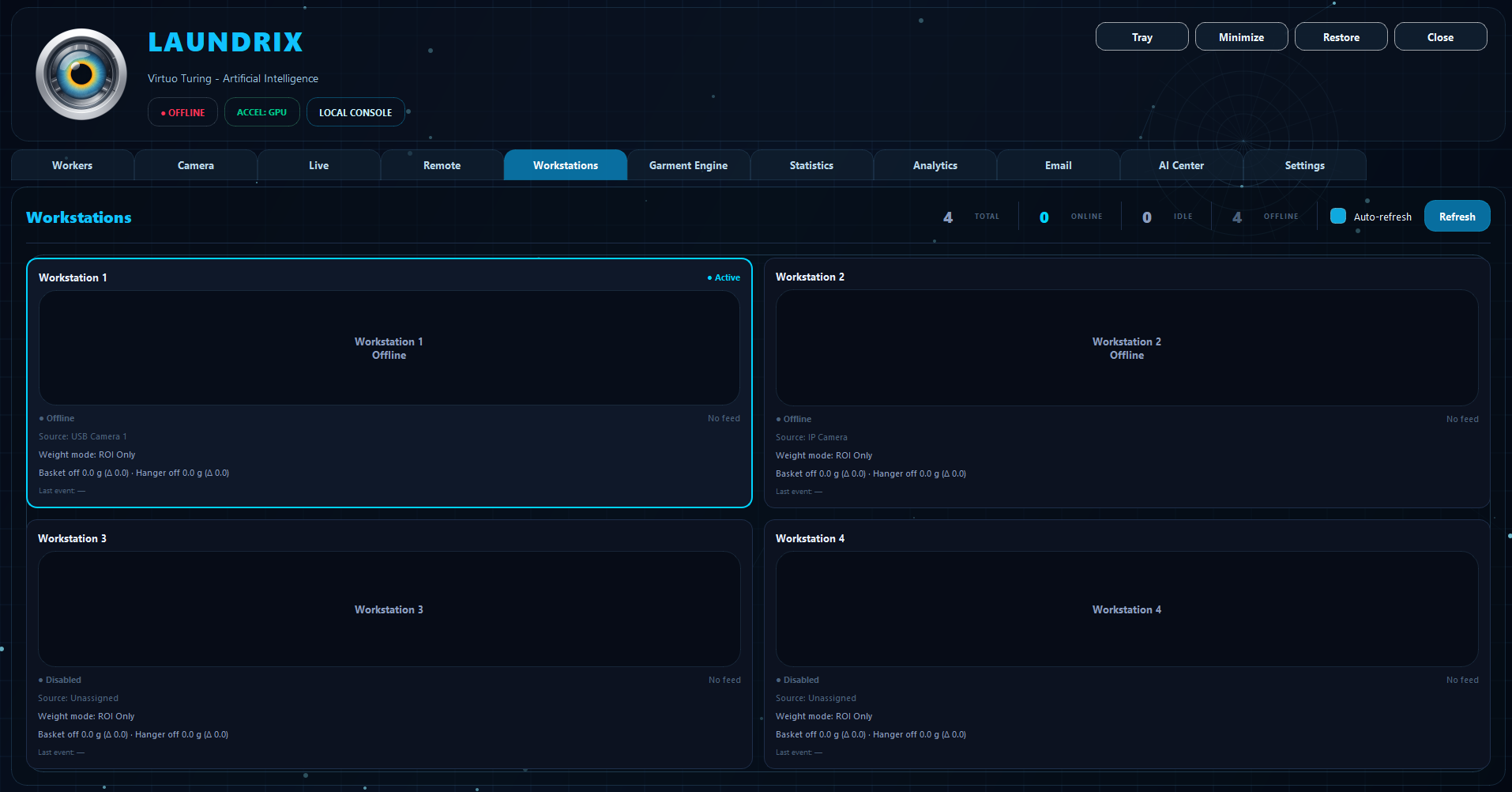
- Configure basket and hanger channels per workstation.
- Set tare values, scale values, trigger levels, stability timing, and noise handling.
- Use diagnostics to confirm service availability, configured channels, online channels, and active readings.
- Wrong workstation reacting to the wrong scale is usually not magic. It is bad mapping.
Reports, trends, and daily use
- Use Statistics for exact numbers by worker, garment, workstation, and time range.
- Use Analytics for charts such as trend, weekday, hour, heatmap, classified vs unclassified, and model version distribution.
- Use Email to schedule automatic report delivery through Gmail credentials and recurrence rules.
- Use Remote only inside the same network, with a password, when checking the system from another device.
Installing the scales
- The weighing hardware is not sold with the software and must be purchased separately from Phidgets or authorized distributors.
- Required setup: 4 × Phidgets 1196 Weighing Scale Kit, 4 × Phidgets 1194 Single Point Load Cell - 25kg, 2 × Phidgets 1270 PhidgetBridge 4-Input, and Phidgets 1246 USB-A to Mini-B cable.
- One 1196 kit should be installed per basket position. One 1194 load cell should be installed per hanger position.
- All load cells must be wired to the two 1270 interfaces, then each interface must be connected to the computer by the 1246 USB cable.
Critical installation notes
- Physical assembly, fixing, and safe installation are entirely the responsibility of the user or installer.
- Proper mounting matters. A badly installed scale gives bad readings, and there is no software fix for bad mechanics.
- After mounting, the installer should proceed with configuration, mapping, testing, and calibration before normal operation.
- The software is sold as is. Hardware is separate. Mechanics are your problem.
INSTALLING THE SCALES
To install the weighing system, the user must first obtain the required hardware separately. These products are not sold with the software and must be purchased directly from Phidgets or from authorized distributors.
- 4 × Phidgets 1196 Weighing Scale Kit — used to build the 4 complete basket scales, one for each basket.
- 4 × Phidgets 1194 Single Point Load Cell - 25kg — used as the weight sensors for the hanger positions.
- 2 × Phidgets 1270 PhidgetBridge 4-Input — used to read the 8 weight sensors in total, since each interface accepts up to 4 load cells.
- Phidgets 1246 USB-A to Mini-B cable — used to connect each interface to the computer.
Interface Preview
Preview of the Laundrix desktop interface