
Control PowerPoint with gestures
Chirodex is a Windows desktop application that gives professional presenters gesture-based control of PowerPoint. It recognizes your hands through the PC webcam and translates simple gestures into presentation commands — without touching a keyboard, mouse, or clicker.
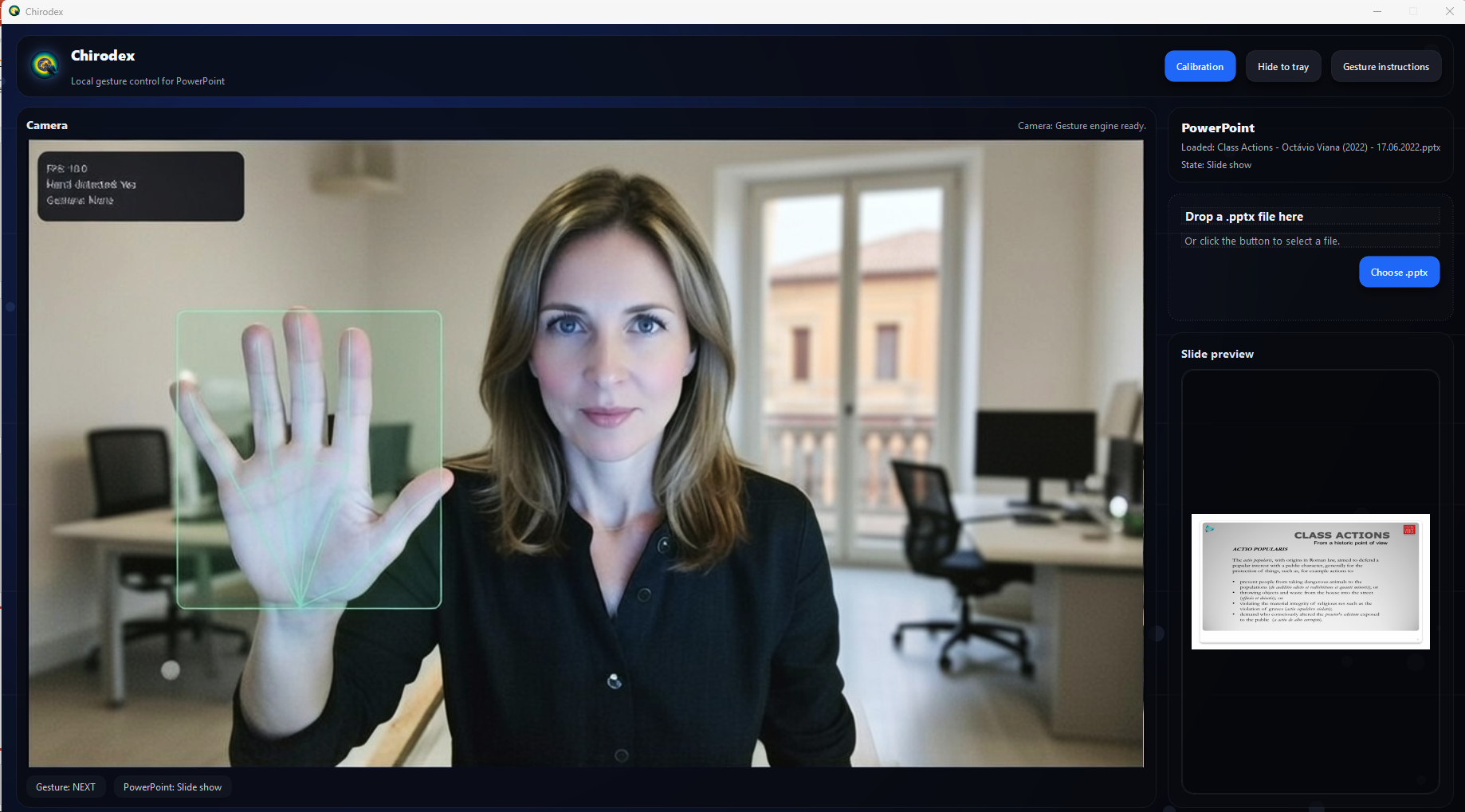
What it does
Chirodex turns a short set of reliable hand gestures into direct presentation control. It is built for professional delivery: fewer actions, clear feedback, and fast execution.
It focuses on two things: slide navigation and live on-slide annotation. The goal is not “automation” — it is making presentations smoother and more controlled when you are speaking.
The experience is intentionally direct: webcam input, gesture recognition, PowerPoint control, and an annotation overlay. No gimmicks, no distractions.
Core features
Slide navigation by gesture
- Next / previous slide.
- Jump to first / last slide.
- Restart the slide show.
- Designed for clear, repeatable control.
Live annotation on top of slides
- Gesture “pen” to draw in real time.
- Quick stamps (e.g., checkmark / smiley).
- Perfect horizontal line using two hands.
- Rectangle / square selection highlight.
Erase and cleanup by gesture
- Clear all drawings instantly.
- Local erase with a wipe motion.
- Keep the slide readable while marking key points.
B2B focus
- Built for teams that present repeatedly (sales, consulting, training, product, leadership).
- Free demo, positioned for professional environments.
- Optimized for hands-free delivery, not casual use.
Real limitations
Lighting & camera quality
- Bad lighting reduces hand tracking stability.
- Low-quality webcams and motion blur degrade recognition.
- Consistent room lighting improves reliability.
Background clutter
- Busy backgrounds can reduce detection quality.
- Clean contrast between hands and background helps.
- Conference rooms are usually fine; chaos is not.
Gesture discipline
- Gestures must be distinct and deliberate.
- Small, half-gestures increase false triggers.
- Simple beats consistent performance.
Scope
- Built for PowerPoint presentation control and markup.
- Not a general-purpose “control the PC” tool.
- Focus stays on presenting, not on system automation.