
User-focused payment control
More than payment automation. Fraud and error control first.
Invoice validation • Risk scoring • Controlled approval • Bank export
BankEasy checks every invoice before money leaves your company. It validates IBAN, compares it with supplier history, detects unusual totals, classifies risk (LOW/MEDIUM/HIGH), and enforces approval discipline with a full audit trail.
Anti-fraud controls first
- Valid IBAN required: invoices cannot be approved without a valid IBAN.
- Supplier-history IBAN check: if the IBAN has never been used for that supplier, risk is escalated and an alert is generated.
- Anomaly detection on totals: outlier if deviation is above 2 standard deviations, and high-value alert if total is around 150%+ of historical mean.
- Role-based restriction: non-admin approvers cannot introduce a new IBAN; only admin can authorize and whitelist it.
- High-risk confirmation: explicit confirmation is required before approval when risk is high.
Optional OpenAI Cloud mode (for low-compute computers):
For devices with limited computational capacity, BankEasy offers an optional OpenAI Cloud processing mode.
Activation requires a valid OpenAI API key provided by the customer.
Any API consumption is measured and charged in tokens by OpenAI, under the customer’s direct contractual relationship with OpenAI.
Such charges are independent from Virtuo Turing and are not invoiced by Virtuo Turing.
BankEasy automatically validates each invoice before payment: it confirms IBAN, compares it with the supplier’s invoice history, alerts and blocks suspicious IBANs, detects totals above average and outliers, and classifies risk (LOW/MEDIUM/HIGH). Only then does it prepare payment in bank XML (pain.001) and supporting DOCX, reducing both fraud and human error.
Be Spoke
Virtuo Turing can deliver a bespoke bank API integration for fully automated payment execution workflows.
This is provided strictly as a software customization service, not as payment means, payment initiation, or intermediary transaction processing.
BankEasy runs on the customer environment; authentication and transmission occur directly from the customer’s computer to the bank, using the customer’s own credentials.
Virtuo Turing does not hold funds, does not route payments through its own infrastructure, and does not operate as a bank, PSP, PISP, AISP, or payment intermediary.
Virtuo Turing delivers the tailor-made API software component, and operation remains under customer control and responsibility.
BankEasy GUI Preview
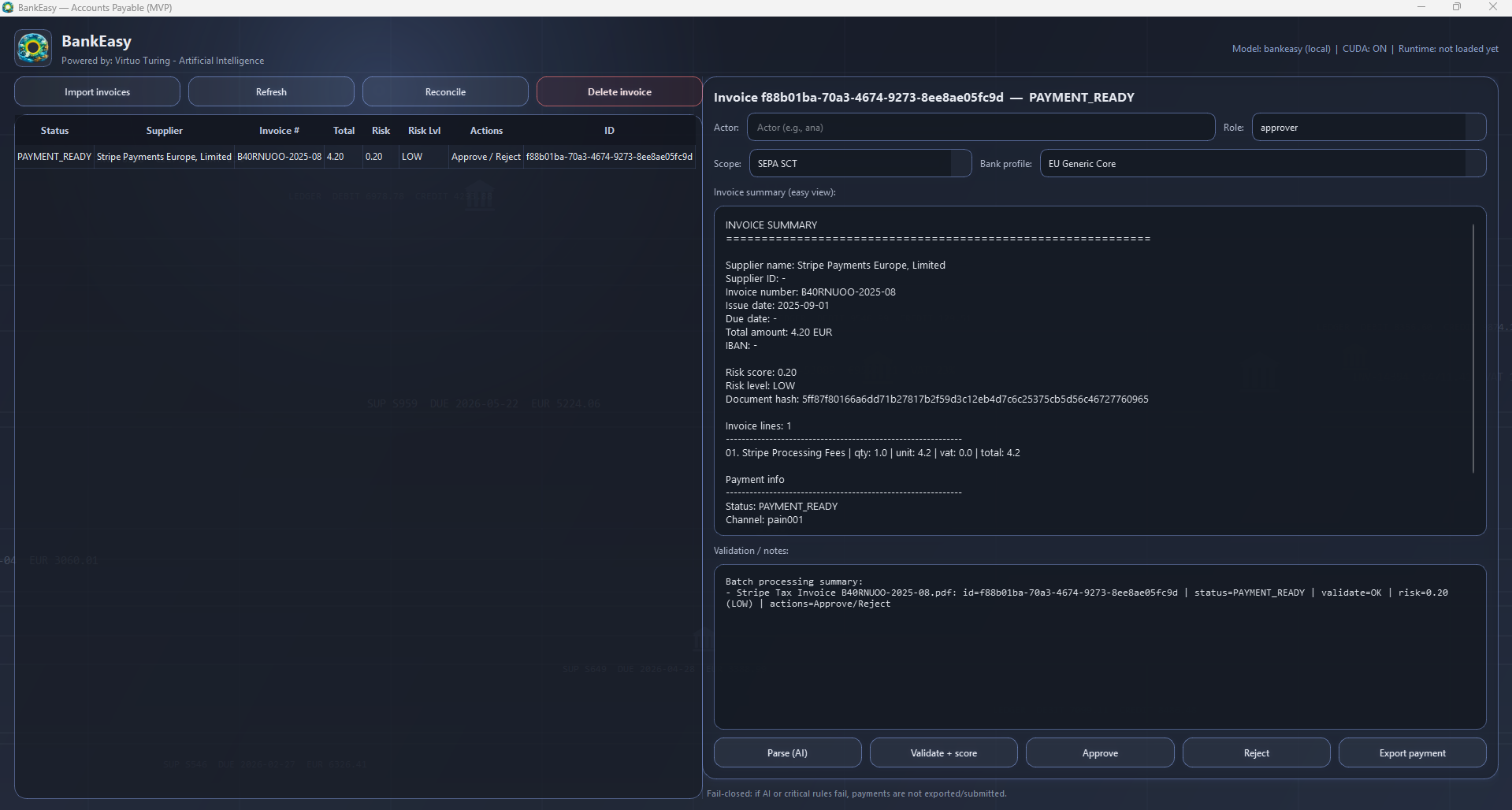
Click the image to enlarge and automatically play the GUI video preview.
2.1 Screen setup
- Set Actor (the operator identity).
- Choose Role (admin or approver).
- Select Payment Scope (e.g., SEPA_SCT, SEPA_SCT_INST, INTL).
- Select Bank Profile (e.g., PT, ES, FR, IT, DE, generic).
2.2 Import invoice
- Click import to load the invoice document.
- The system stores the document, creates a hash, and opens an initial invoice record.
- If the same hash already exists, document duplication is blocked (ingestion idempotency).
2.3 Parse (automatic extraction)
- The AI engine extracts fields into a normalized structure (supplier, number, dates, total, currency, IBAN, lines, etc.).
- If parsing fails, the invoice is flagged for parsing review/error handling.
2.4 Validation + risk scoring
- Checks required fields (supplier, invoice_no, issue_date, due_date, total > 0, currency, IBAN where applicable).
- Detects duplicate invoice number per supplier.
- Computes risk using: new supplier IBAN, statistical outlier, and high-above-average total.
- Sets risk_level and status:
- VALIDATION FAILED when errors exist.
- PENDING APPROVAL when validation passes.
2.5 Approve / reject
Reject: status becomes REJECTED BY HUMAN and associated payment is canceled.
Approve:
- Blocked if valid IBAN is missing.
- If IBAN is new for supplier:
- Approver: blocked.
- Admin: may approve and whitelist explicitly.
- If risk is above high-risk threshold, explicit confirmation is required.
- Successful approval sets PAYMENT READY and creates/guarantees payment instruction.
2.6 Export for payment (XML + DOCX)
- Only invoices in PAYMENT READY are accepted.
- Bank adapter generates:
- pain.001 XML (bank file)
- DOCX support order in EN, PT, ES, FR, IT, DE
- Records bank reference, attempt, and SUBMITTED status.
- Returns xml_path and docx_path.
- Validates field-size limits by bank profile; fails closed with explicit error if limits are exceeded.
2.7 Reconciliation and audit
- Each submission logs attempts and state-transition events.
- Audit trail is preserved with hash-linked event integrity.
2.8 Delete invoice (admin only)
- Only admin may delete an imported invoice.
- Deletion removes invoice and related objects (lines, approvals, payments, attempts, runs).
- An audit event is created for traceability.